
Whether you’re trying to tackle a single project or achieve broad organizational goals, you’ll accomplish a lot more using collaboration software and online collaboration tools that empower everyone involved to shares ideas, document required activities, and track progress.
As an inherent bonus, you’ll greatly boost the amount of learning that happens for yourself and your organization if you start to think of online collaboration tools not just as productivity boosters but also as environments for learning. Most learning, after all, is social and online collaboration software is inherently about social interaction.
With the best online collaboration tools and software, organizational learning has never been more accessible and achievable. You can easily share ideas and learn from a diverse group of people working within collaborative tools such as project boards, co-editing documents, calendars, timelines, and whiteboards.
In this article, we’ll cover some of the most popular and feature-rich online collaboration software that will help you increase your productivity, boost the overall capacity of your organization, and foster significant learning in the process.
Let’s dive in.
Table of Contents
The Best Collaboration Tools and Software | Our Top Picks
Don’t have time to read the complete article? Here are our top picks for the best collaboration software.
Monday.com – The most complete online collaboration tool for combining productivity, capacity building, and learning. (We use it to manage the Leading Learning Podcast.)
ClickUp – The best free online collaboration tool
Asana – The most robust online collaboration platform for serious project management
Trello – The most straightforward free collaboration software for small organizations
Confluence -The best document management tool for collaborative learning
The Best Collaboration Tools for Boosting Capacity
Let’s take a detailed look at the main features and pricing of the best collaboration software for boosting your capacity.
Monday.com
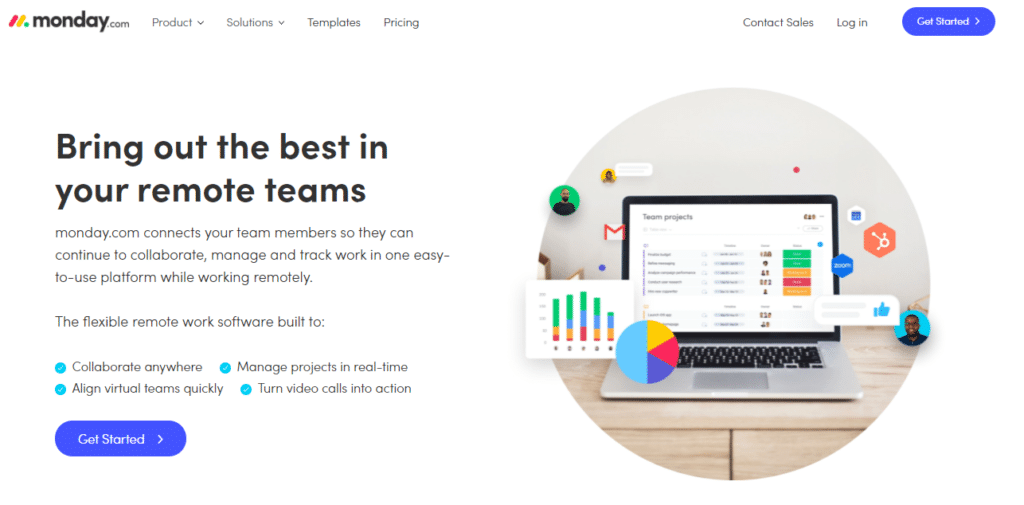
Monday.com – what we use for Leading Learning – is among the best collaboration tools designed to help remote and distributed teams get things done faster.
It’s primarily a work management product with advanced project management, task designation, and corporate planning features. But thanks to its flexibility, Monday.com can be used for all kinds of projects.
For example, you can use its Kanban boards to create learning workflows for your team members. Each board has multiple sections, and every section has various cards.
Each card can be used for a dedicated topic where users can chat, share files, apply tags, set deadlines, and assign tasks.
Similarly, you can use multiple project views like calendar, Gantt, or list view to structure your activities and achieve group goals by scheduling tasks and projects.
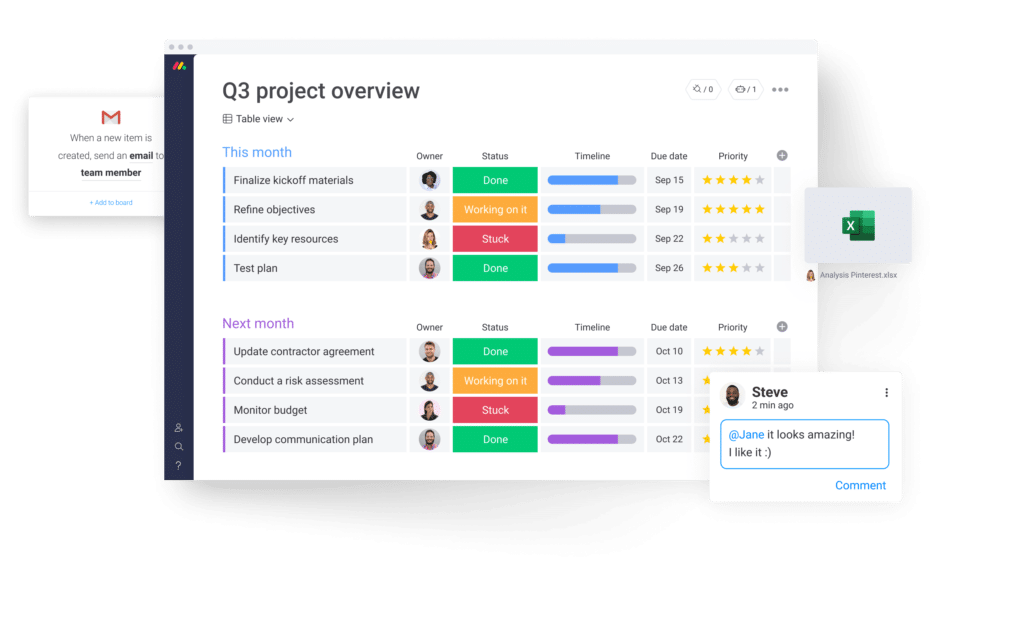
And, of course, from a productivity perspective, you can use features like time tracking, daily team tasks, and instant notifications to track your team’s activities and ensure that everything gets done in time.
Monday.com also integrates with hundreds of different third-party applications to help you bring on all the critical information on one platform.
Ultimately, Monday.com facilitates collaborative learning and capacity building by organizing your communication around topics and extracting actionable insights in a highlight intuitive user interface.
For these reasons and many more that we couldn’t cover, Monday.com is our number one recommendation for the best online collaboration software.
Monday.com Pricing and Free Plan
Monday.com offers a free plan along with three paid subscriptions for different business types. But since we’re primarily interested in collaborative features, even its free plan is good enough because it offers unlimited Kanban boards, 200+ templates, chat & notifications, and tons of other collaboration features.
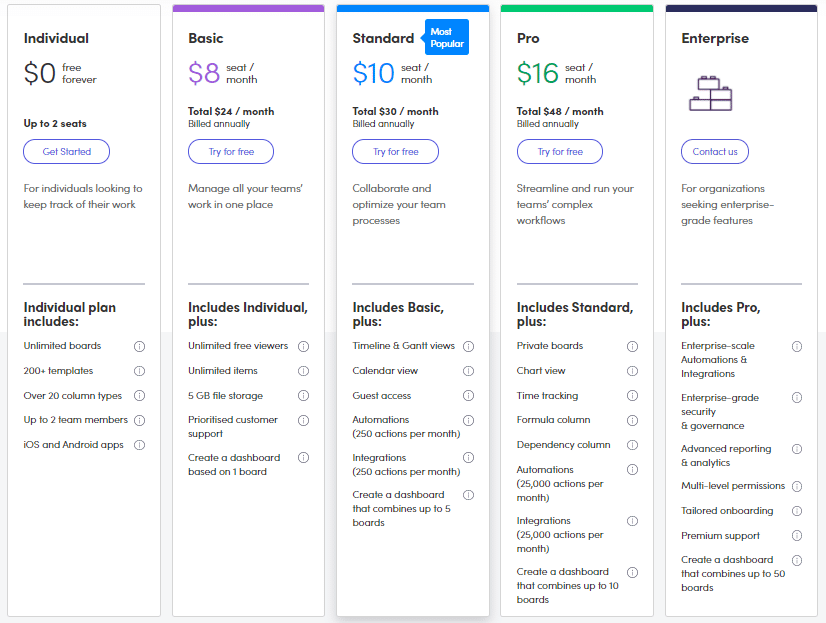
If you’re looking for more advanced collaboration features like time tracking, Gantt and calendar views, timelines, and detailed analytics, you can go for its Standard or Pro plans that cost $10/user per month and $16/user per month, respectively.
In our opinion, though, their free plan is sufficient for most collaborative learning needs.

Collaboration Fosters Learning
Not buying that collaboration and learning are fundamentally connected or that collaboration tools help foster learning across your organization (and, by extension, build capacity)? Consider the focus that the experiential learning platform Practera has placed on integrating with popular workplace systems. As Jason Wingard explains in The College Devaluation Crisis (recommended), integration into these systems is “a primary focus for Practera, as it makes it easier for employers to engage students on projects while also improving their own skills. “Generally,” says [Practera co-CEO Wes] Sonnenreich, “the learning is around types of projects and collaborations where most of the work is not happening on the platform.” Extracting information from those platforms is an essential Practera goal …” (p. 68, Kindle Version)
Really, what Practera enables – and what collaboration systems support – is the capture and sharing of knowledge generated through experiential learning.
ClickUp
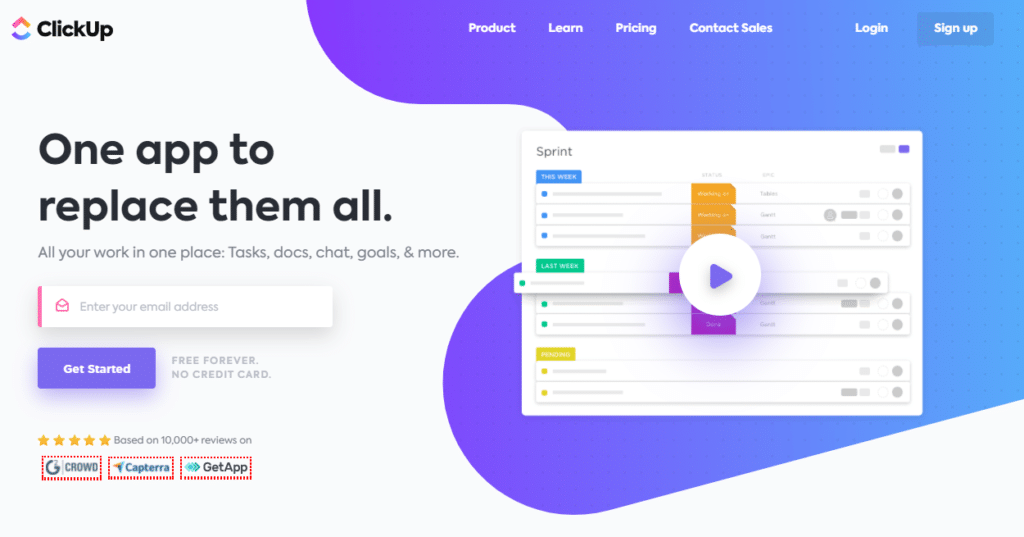
ClickUp is among the most powerful work management and online collaboration tools in the world. It’s a feature-rich product that comes with all kinds of tools to help you enhance capacity and group learning through idea sharing and collaborative work.
For example, it offers multiple task views like lists, Kanban boards, timelines, and calendars to organize tasks and collaborate with team members. In addition, its drag & drop interface is ideal for beginners and non-technical users.
Every feature in ClickUp is designed to simplify collaboration. For example, you can directly chat with your team members and tag them in tasks to quickly notify them. Similarly, you can track individual and group tasks and measure them against your common goals.
ClickUp also comes with robust document management and collaboration features very similar to Google Docs. ClickUp Docs allows you to co-edit documents with your team, brainstorm new ideas, and share feedback on shared projects.
It also allows you to tag users, import documents from other platforms, and share your docs using public or private links so that the relevant persons can access your document and share feedback when necessary.
In short, ClickUp is an all-in-one collaboration software that helps you and your team share knowledge, organize work, and get things done more efficiently.
ClickUp Pricing and Free Plan
ClickUp has a simple pricing model. It offers a free subscription plan that includes many valuable collaboration features like boards, charts, integrations, templates, etc.
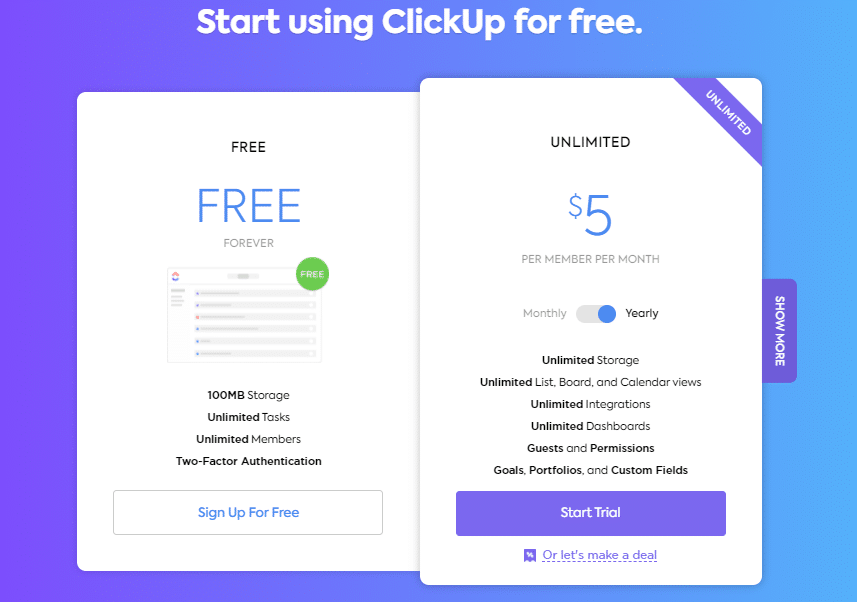
But if you’re looking for more advanced features like time tracking, document management, automation, etc., you can sign up for their Unlimited plan for just $5/user per month.
It’s hard to think of any other product that offers so many features at such an affordable price.

Confluence
Confluence is an ideal platform for collaboration, document management, and brainstorming. Most organizations use Confluence as a knowledge base for different projects and organizational functions. It helps you create document trees with well-defined user permissions and sharing rights.
But Confluence can do a lot more.
It provides you dozens of templates for various organizational documents like marketing plans, resource planning, project plans, etc. Using these templates, you can create essential documents in collaboration with your team members.
You can add different users to a document, invite them to share feedback, mention users for assigning tasks, or comment on a document when there’s a need.
Confluence integrates with different project management tools and allows you to collaborate with your technical teams to create project-specific documentation.
It is also an equally effective platform for collaborative knowledge sharing and learning. Team members can create Confluence documents and invite others to work together in different ways.
Overall, Confluence is a robust document collaboration product that helps remote teams work together more effectively.
Confluence Pricing and Free Plan
Confluence offers a free plan for up to ten users with all the essential document management and collaboration features. So if you’re looking for a robust collaboration tool without spending money, Confluence’s free plan can be an excellent choice.
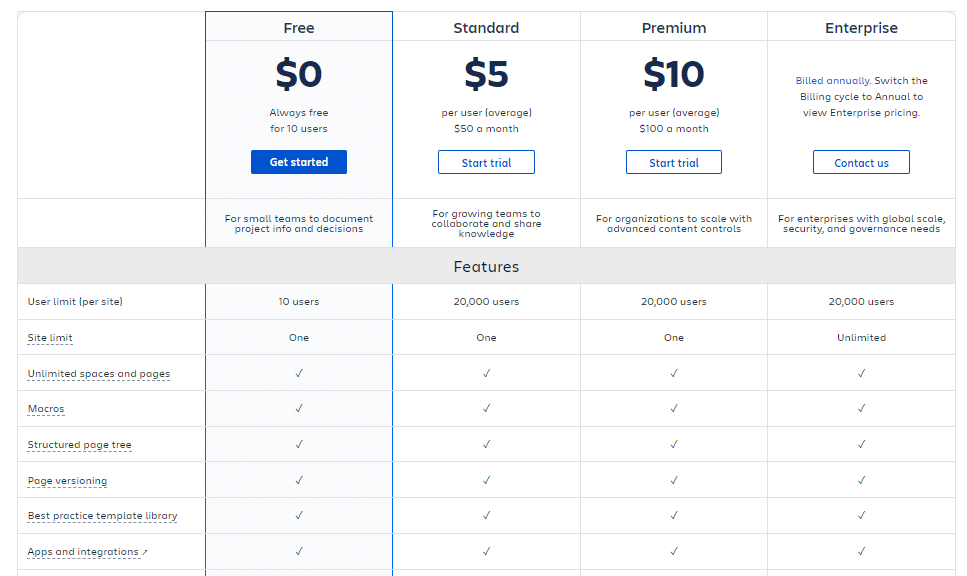
But if you want features such as advanced analytics, user permission management, external collaboration, and automation, you can choose from its paid plans starting from $5 per user per month.

Microsoft Teams
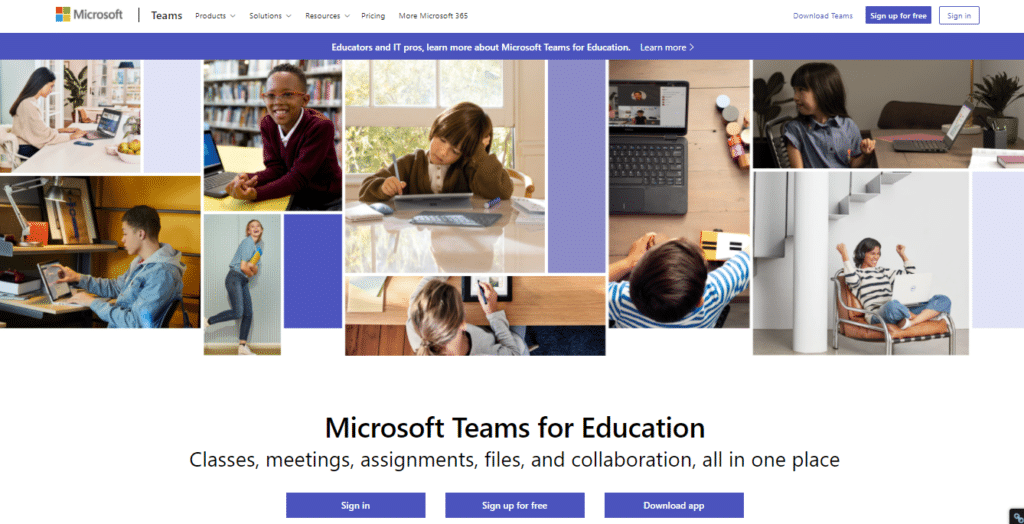
Microsoft Teams is all-in-one collaboration software for professionals, corporate trainers, remote teams, and students. It is a powerful communication suite that offers everything you need to collaborate with your peers, freely exchange ideas, and extract actionable insights from your team discussions.
Microsoft Teams offers video calling, instant messaging, document sharing, and co-editing features. In addition, it seamlessly integrates with other Microsoft applications like Word, Excel, PowerPoints, and OneDrive, and allows you to work collaboratively on different documents from a single platform.
Your instructors can even create a classroom environment using Microsoft Teams through screen sharing, group calls, online presentations, lectures, and interactive Q&A sessions.
You can even host interactive whiteboard sessions where team members discuss topics in a highly engaging environment with features such as hand raising, together mode, and breakout rooms.
In short, Microsoft Teams is an excellent online collaboration software solution for organizations and remote teams.
Microsoft Teams Pricing and Free Plan
Microsoft Teams has a generous free plan that’s sufficient for the learning needs of most small businesses, startups, and online learning professionals. It allows calls of up to 60 minutes with 100 participants. You also get 10GB of cloud storage and features such as collaborative learning whiteboards, document sharing, live chat, guest participants, and numerous integration.
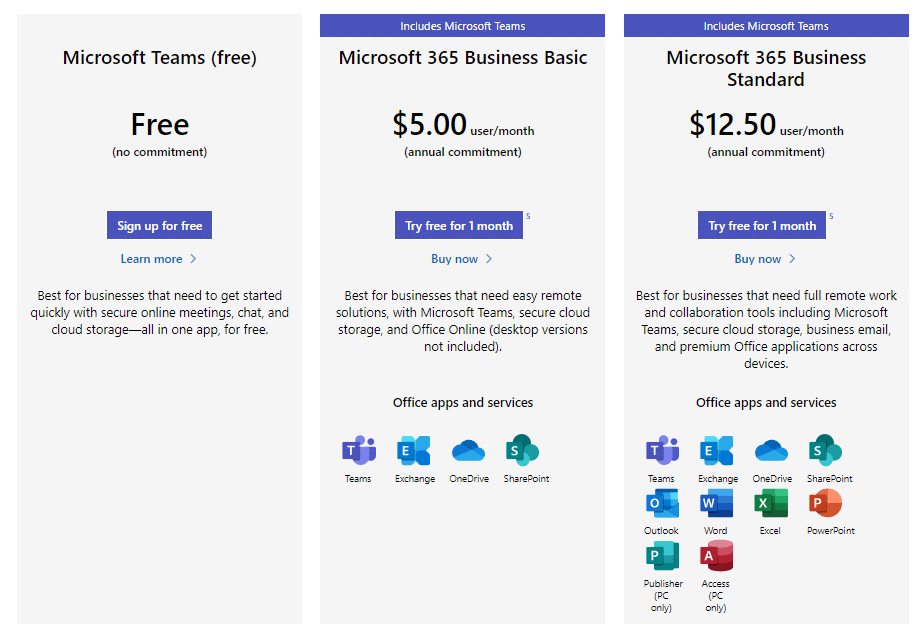
For more cloud storage and security features, you can upgrade to a premium plan as well.

Slack
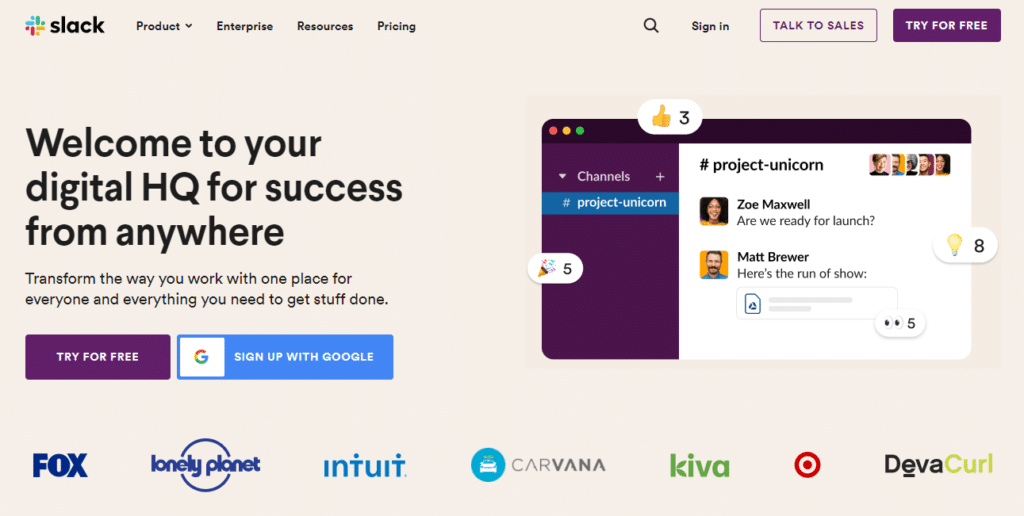
Slack is among the world’s most popular corporate messaging applications offering numerous features to facilitate collaborative knowledge sharing, learning, and teamwork.
It allows you to create a structured learning environment by creating a dedicated workspace for your students, team members, and training participants. Every workspace can have unlimited channels dedicated to different topics or learning groups.
For example, you can create a channel for brainstorming ideas where the participants share and critique new ideas. Similarly, you can create dedicated channels for different stakeholders in a project or strategic initiative.
Channel admins have the option to keep them public or limit access to approved users only. Within a channel conversation, users can tag each other, share files, or create message threads.
Slack also offers one-to-one and group video and audio calling features that make it a complete online meeting solution.
Slack can be an addictive application where lengthy group conversations can go into thousands of messages. But channel admins can structure these conversations by encouraging the participants to use relevant tags with their messages.
Tags are search keywords that help you find relevant messages in long conversations. Similarly, Slack’s search features also allow you to look for messages by specific users, channels, tags, or keywords.
In short, Slack is a robust messaging and collaborative learning application ideal for remote teams. It can also be a powerful way to private learning communities around course offerings and events.
Slack Pricing and Free Plan
Slack offers a free plan that’s ideal for small teams and close learning groups. It offers up to 10,000 searchable messages, 10 app integrations, one-to-one voice and video calling, one workspace, and up to 5GB of storage.
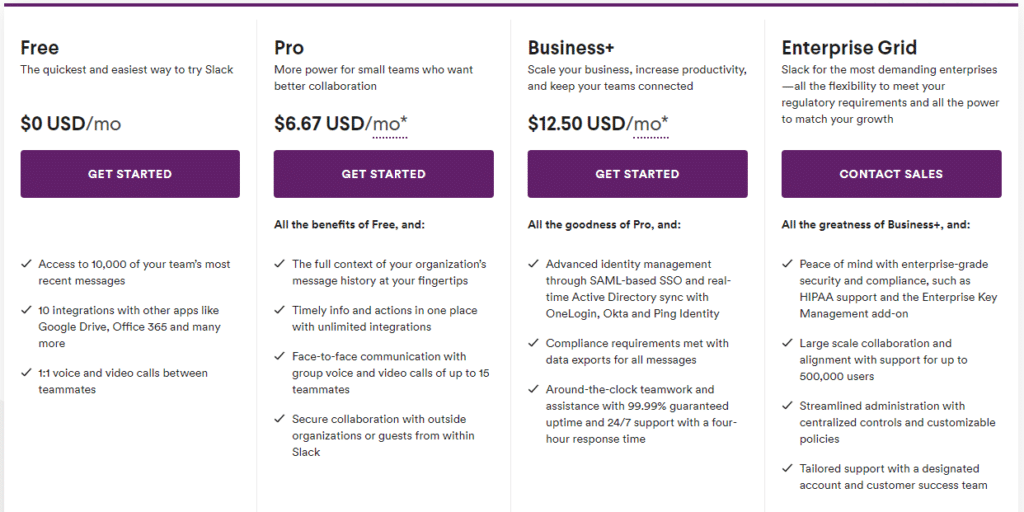
But if you want to manage separate channels in your workspace with advanced user permissions and other collaboration features like screen sharing and group calling, consider choosing from one of Slack’s Pro or Business plans.

Conceptboard
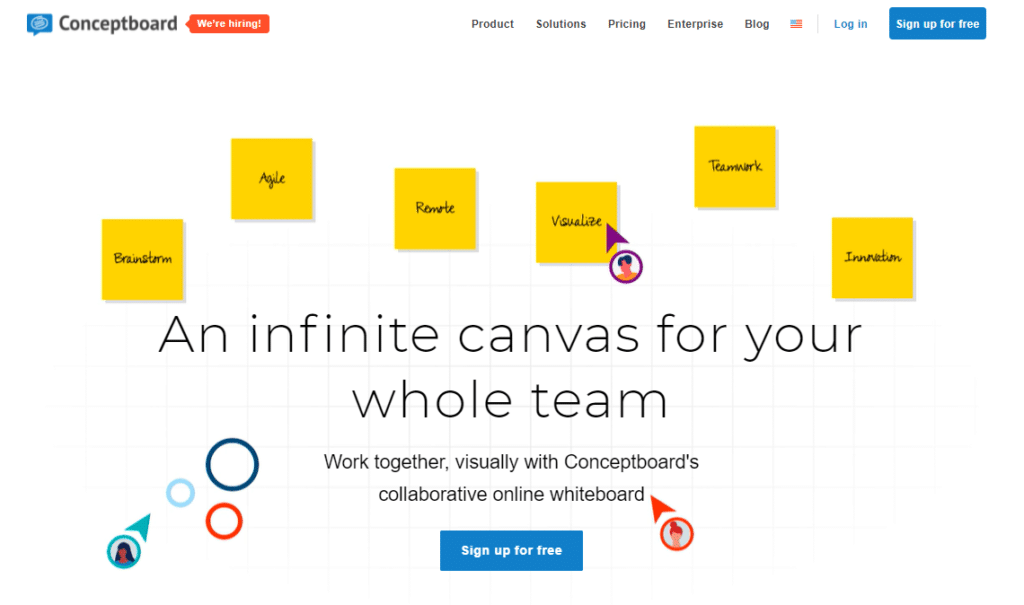
Conceptboard is an intuitive drag & drop whiteboard application with tons of valuable collaboration features for learners, professionals, and remote teams.
It is a sleek product laser-focused on helping remote teams collaborate without losing their creativity. It offers a live collaborative whiteboard where you and your team can discuss ideas and share feedback using sticky notes, markers, text boxes, and graphic elements.
It provides you a chat interface where you can discuss ideas with your team in real-time. Conceptboard also offers robust video calling and screen sharing features for distributed teams to discuss their projects or share ideas in a collaborative learning environment.
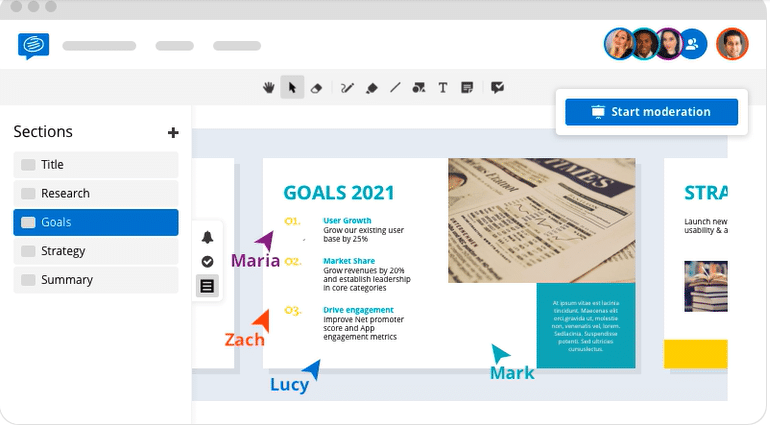
You can import your PDF, PowerPoint, Word documents in Conceptboard for presentations or invite your team members to finalize documents before sending them for approval.
Conceptboard also integrates with Google Drive, Trello, and various others cloud storage and project management apps.
Overall, it’s an impressive product for brainstorming and idea-sharing for remote teams and online learning professionals.
Conceptboard Pricing and Free Plan
Conceptboard offers a feature-rich free plan designed for individuals and small teams. It includes unlimited boards, 100 objects per board, pre-built board templates, core integrations, and several other valuable features.
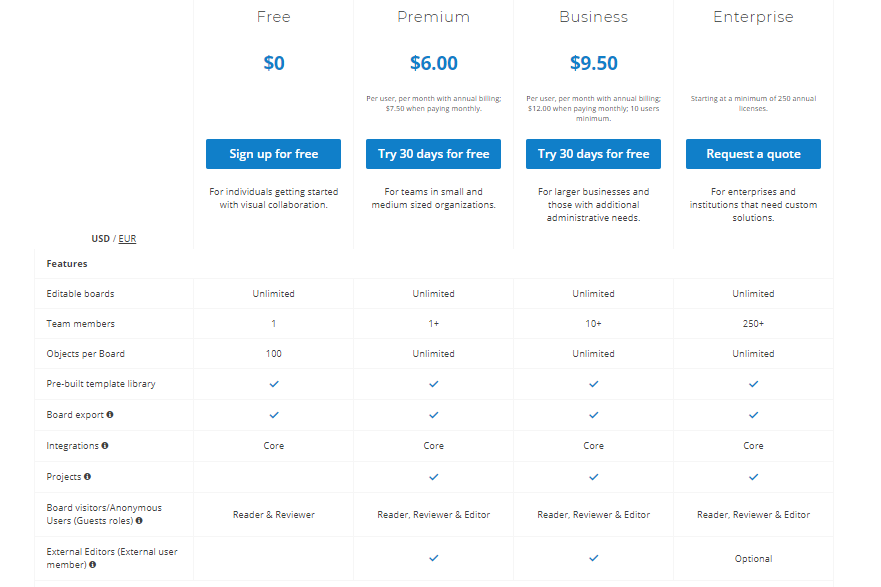
For more team members and participants in your account, plus lots of advanced collaboration features, you’ll need to sign up for one of Conceptboard’s paid plans.

Asana

Asana is perhaps the most complete project management in the world right now. But it’s also an excellent online collaboration tool that facilitates group learning and helps teams achieve more together.
Asana offers all the core project management features for agile companies like boards, timelines, calendars, etc. For example, you can use boards for organizing your topics into different cards where your team members can share files, set deadlines, and use instant messaging features for collaboration.
Similarly, Asana offers project conversations, team conversations, and private messaging for users to work together on different projects.
You can assign every Asana task to different team members and add collaborators who are notified of all the updates.
Plus, Asana integrates with hundreds of business, productivity, documentation, marketing, and cloud storage apps so that you can gather all the relevant data on a single platform.
Asana Pricing and Free Plan
Asana’s free plan offers all the core project management and collaboration features for small teams of up to 15 members. You also get features like time tracking, messaging, and multiple project views.
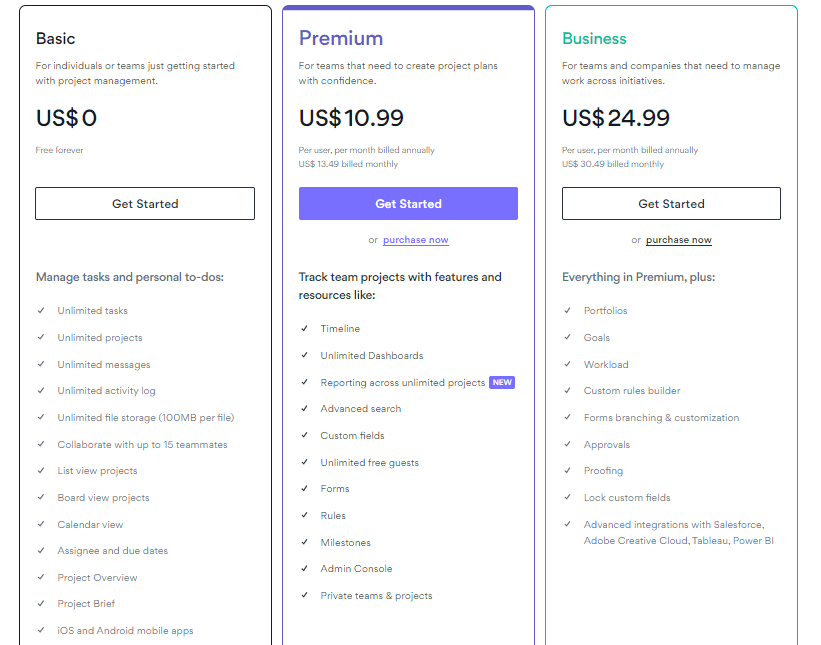
For advanced features, more users, and reporting, you can sign up for Asana’s paid plans starting from $10.99 per user per month.
Overall, Asana is a powerful project management solution that offers much more than simple collaboration features. So if you’re only looking for simple collaboration tools, Asana’s features might be a bit of an overkill for your needs. If, on the other hand, you are looking to take collaboration to a new level and really elevate your organization’s capacity, it may be just the ticket.

Basecamp
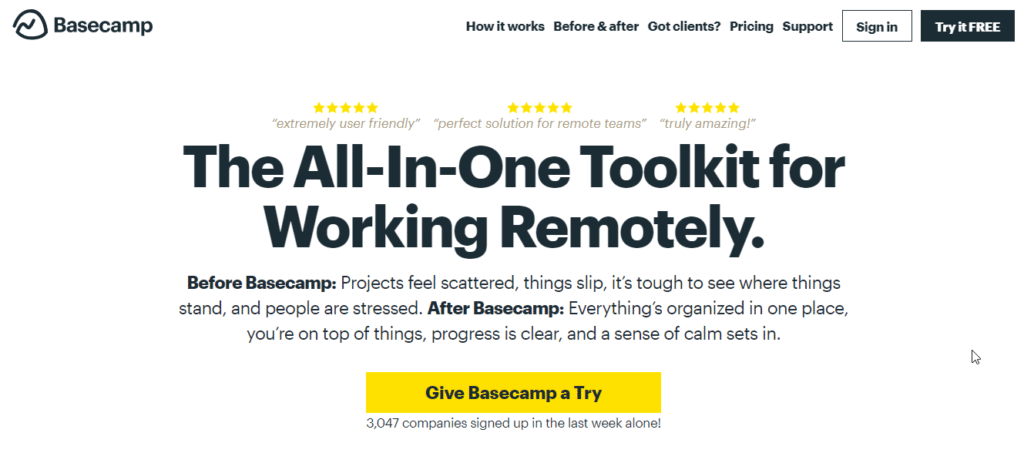
Basecamp is among the most popular collaboration tools for remote teams and eLearning professionals. However, it is not a complex application full of project management features like Asana.
Instead, its primary focus is on bringing transparency to your communication and ensuring that everyone on your team is on the same page.
Basecamp is an ideal online collaboration tool for learning businesses. Here’s how it works.
You can organize different projects on your main company dashboard. Each project has its own collaborators and team members. When you open a project, you can see its whole story, including its original objective and vision. Below the story, you can view all the responses from your team members in the form of message threads.
Then you have a document section where all the relevant documents, files, and images are stored. Plus, you get a message board where everyone on your team can directly interact with each other.
Using Basecamp, you can easily organize your programs into various topics and ask the relevant team members to chip in.
Thanks to Basecamp’s transparent communication threads, any ideas your team members share will stay there for everyone to see.
Basecamp Pricing and Free Trial
Basecamp has a straightforward pricing model. Unlike other products on this list, it doesn’t offer multiple subscription plans based on the number of users.
Instead, it charges a flat $99/month for unlimited everything.
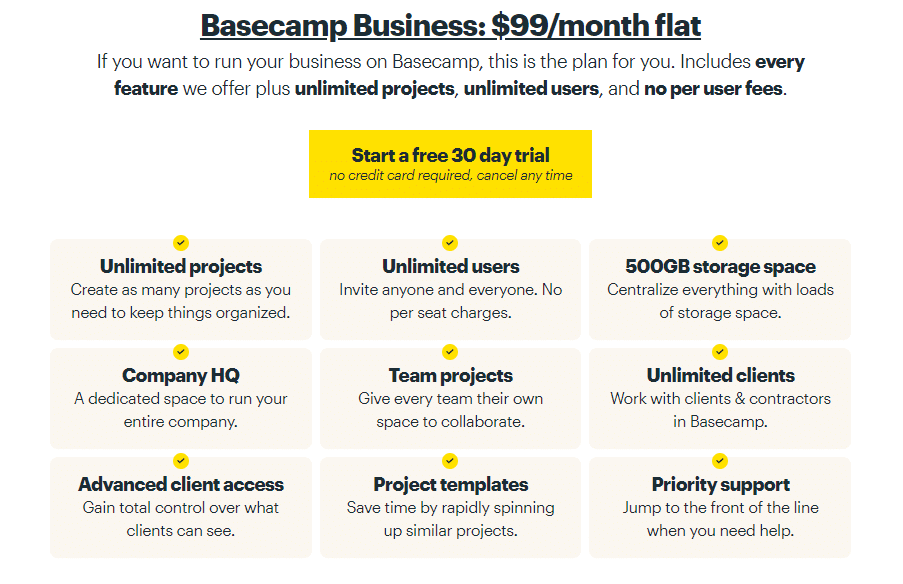
With this pricing structure, Basecamp isn’t ideal for small teams.
However, large teams looking specifically for collaboration features would enjoy Basecamp’s flat pricing structure.
Before you upgrade to its premium plan, you can test its features by signing up for a 30-day free trial.

Trello
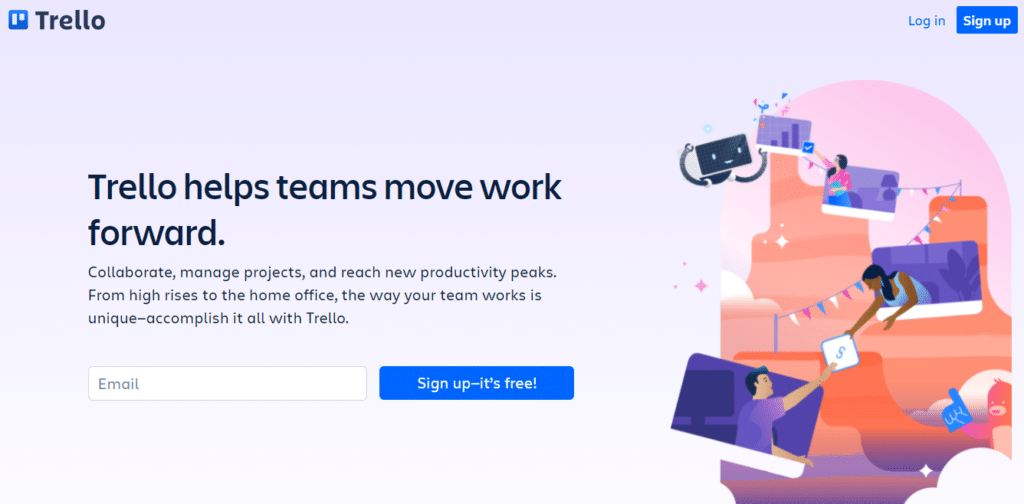
Trello is another super simple collaboration tool that doesn’t overwhelm you with features but helps you and your team get things done.
It provides you multiple workspaces and kanban boards to organize your projects, collaborate with your team members, set deadlines, share files, and keep everyone in the team updated on the latest progress.
It’s an ideal collaborative platform for online learning where you can organize your discussions according to topics in different cards. Each card has its own set of users who can interact via text messaging and video calls and share files.
If you’re looking for a simple collaboration tool for any business, Trello can be an excellent choice.
Trello Pricing and Free Plan
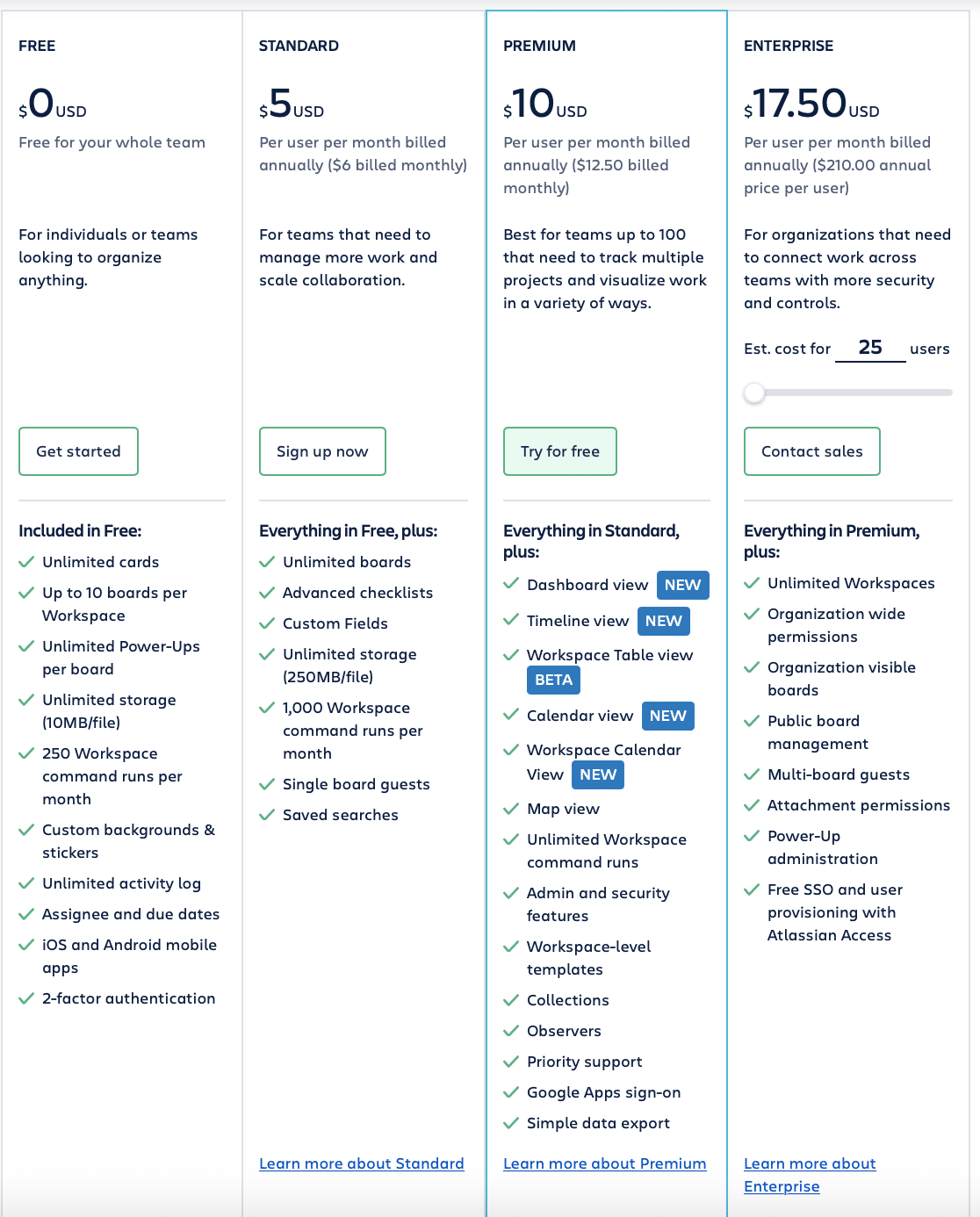
Trello has a generous free plan for up to 10 active boards at a time. But you get all the core Kanban features managing your projects and conversations. Its paid plans start from $12.5/user per month and offer additional workspaces, larger attachments, and more advanced collaboration software features.

Google Workspace
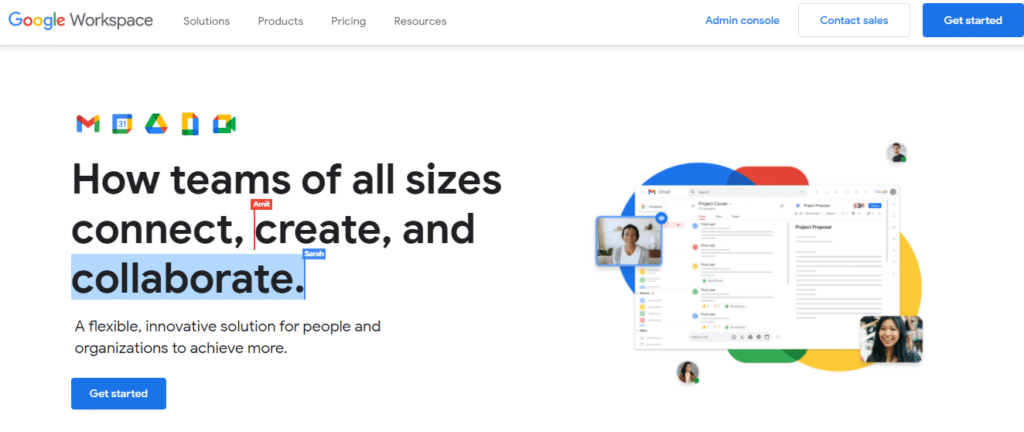
Google Workspace is a collection of multiple collaboration and work management tools by Google. It offers some of the world’s best document management, cloud storage, video calling, and calendar apps under one subscription plan.
As a Google Workspace user, you get access to Google’s services such as Gmail, Drive, Docs, Sheets, Slides, Meet, Keep, Calendar, and several others.
Each of these apps comes with built-in collaboration features. For example, Google Docs offers document co-editing, sharing, user rights management, and instant messaging all under one platform.
Similarly, Meet allows you to host up to 150 video call participants in a signal session. You can use these calls for hosting large student groups or training programs with ease.
Plus, you get additional cloud storage for storing, sharing, and managing your documents.
Overall, Google Workspace is a brilliant set of tools that covers all your knowledge sharing and collaboration needs.
Google Workspace Pricing and Free Trial
Google Workspace offers four different team plans that all come with a 14-day free trial.
For small teams, the Business Starter plan, priced at $6/user per month, offers 30GB of storage, 100 video call participants, unlimited meeting length, a custom Google-hosted email account, and other features in 15 different Google apps.
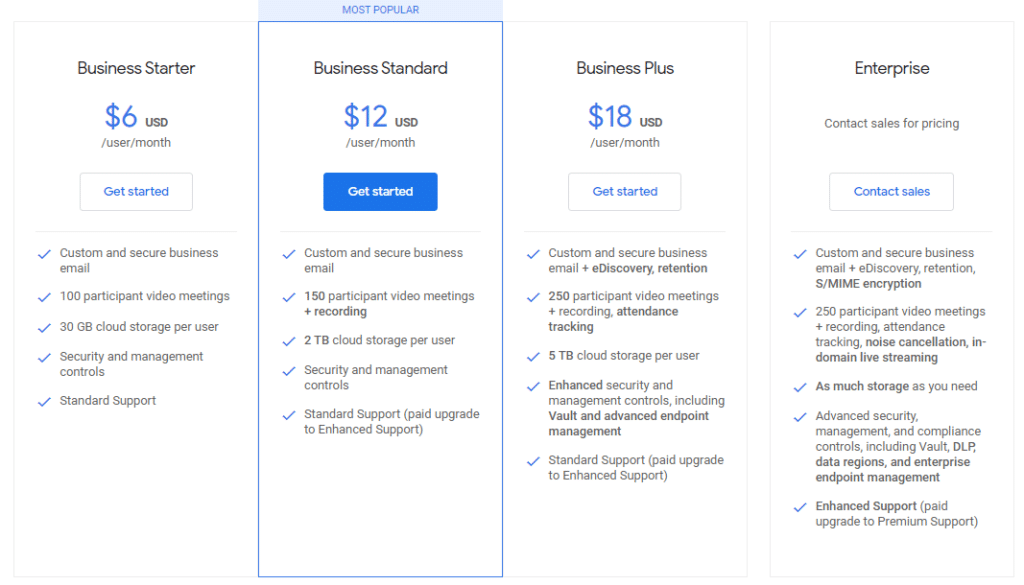
For bigger teams, the Business Standard and Plus plans offer additional cloud storage, more video call participants, advanced analytics, and security features.

Notion
Notion is a lightweight project planning, note-taking, and collaboration app for remote teams and startups.
It offers features such as shared Wiki pages, Kanban boards, shareable notes, lists, and docs. You can use it for collaborative learning in several ways.
For example, you can use its docs and notes features to co-edit documents and brainstorm ideas. Similarly, you can seek feedback from your team members on specific project plans and documents. It gives you the option to share documents with particular team members and tag/mention them in your messages.
With Kanban boards, you can create topical cards and start dedicated threads for collaborative knowledge sharing, team work, and learning.
Overall, it’s a pretty useful project management application that’s ideal for online collaboration.
Notion Pricing and Free Plan
Notion offers a free plan for individuals in which you can collaborate with up to 5 guest users. It provides unlimited pages & blocks along with several integrations and all the core collaboration features like docs, lists, etc.
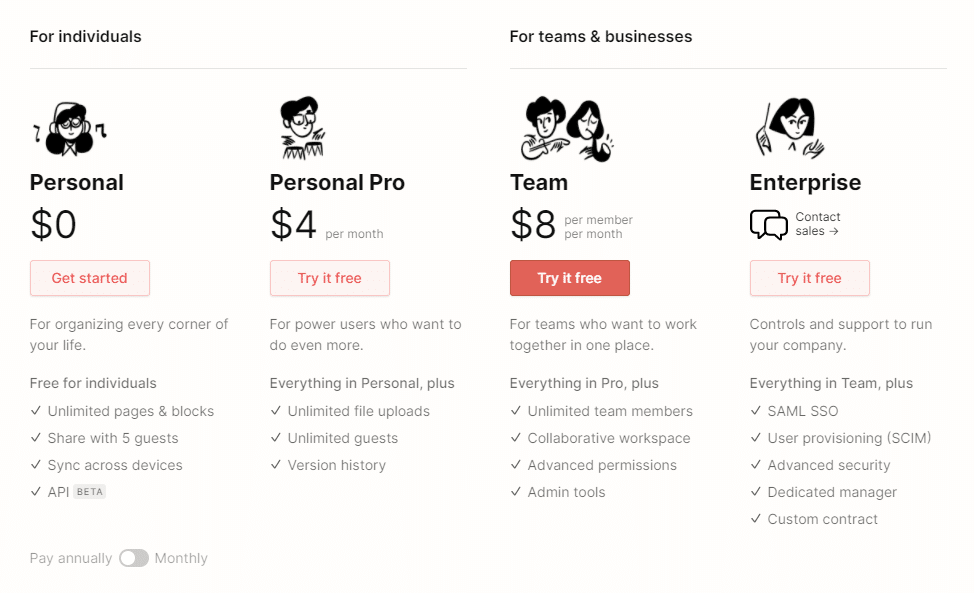
However, its Team plan is specifically designed for collaboration and offers unlimited team members, workspaces, boards, and advanced permissions for $8/ user per month.

Which Are the Best Online Collaboration Tools?
We’ve shared some of the most popular online collaboration tools in this article that simplify group learning, increase your productivity, and help you achieve more as a team.
But which one of these tools is right for your business? That’s for you to decide, of course.
However, based on research, here are our top picks for the best collaborative software.
Monday.com – The most complete online collaboration tool for combining productivity, capacity building, and learning
ClickUp– The best free collaboration tool
Asana – The most robust online collaboration platform for serious project management
Trello – The most straightforward free collaboration tool for small organizations
Confluence -The best document management tool for collaborative learning
This doesn’t mean the other products like Basecamp and Microsoft Teams are any less effective as online collaboration platforms. On the contrary, they’re all great products, but we chose the top five to cover a diverse range of collaboration and capacity building needs.
So go ahead and sign up for the free plans of all these online collaboration tools, explore their features, and choose the one that’s most suitable for your business.
Most importantly, don’t forget that collaboration is a powerful catalyst for learning. Courses, classes, and other forms of structured learning are great, but a huge amount of learning goes on in the types online collaboration tools covered here – and it’s the type of learning that is the catalyst for much greater capacity. It’s definitely worth a mindset adjustment to help capitalize on that fact.
 The Value of Workforce Development Now
Leave a Reply